Skip to content

Push delivery, without the stack

Skip the
notification stack.

Send one HTTP request. Alrim handles the route from your server to subscribed browsers and devices.

curl → alrim.io → alrim.me

alrim.io

Send notifications

Web console

alrim.me

Receive notifications

One request Live route
curl -X POST https://alrim.io/<publishKey> \
  -H 'content-type: application/json' \
  -d '{"title":"Build finished","body":"v2.4.1 is ready."}'

alrim.me

now

Build finished

Release v2.4.1 is ready.

alrim.io sends alrim.me receives
A curl request sent to alrim.io becomes a notification received through alrim.me.

One request · every screen

See your alert arrive.

Send once through alrim.io. Receive instantly through alrim.me on the screens people already use.

alrim.io

Publish a channel notification

Ready
Interactive simulation.
Send with cURL
curl -X POST https://alrim.io/
  -H 'content-type: application/json'
  -d '{"title":"Build finished","body":"Release v2.4.1 is ready to ship."}'

alrim.me

Receive wherever you are

Connected
Build finishedRelease v2.4.1 is ready to ship.
Mobile
Build finishedRelease v2.4.1 is ready to ship.
Tablet
ALRIM×Release buildsBuild finishedRelease v2.4.1 is ready to ship.
Desktop

Waiting for the next alert…

Delivery flow

Request, route, deliver, receive.

alrim.io routes each request through push or realtime rails to the surfaces people already use.

  1. 1

    Input

    Manual / cURL

  2. 2

    Router

    alrim.io

  3. 3

    Delivery

    FCM / APNs / WS

  4. 4

    Surfaces

    Web / App

  5. 5

    Receive

    User alert

Channel formula

Routing stays stateless.

No pre-created channels. A secret key becomes one public, deterministic channel.

Publisher key
32+ chars, a–z and 0–9Keep it private on the server.
Channel code
sha256(publishKey).slice(0, 32)Public, deterministic, shareable.
Subscribe URL
https://alrim.me/<channelCode>Open it in the web or app.

Channel shapes

Turn any object into a notification channel.

Combine a random private project key with an intent. The result is a public URL for a customer, event, order, incident, or anything else.

Account page dashboard.customer.example

Member billing alerts

Renewal, invoice, and failed payment alerts for one member.

Tell users where to subscribe

Put the public channel link near the source.

https://alrim.me/b08342297f8d9501066bc64483a23553
Intent
user:4281:billing
Publishing
https://alrim.io/03dd6b2744ca2128d5561312e129c5f08c0565af0bf10cd3c999e87b5b90393aPOST through alrim.io with the private key.
Receiving
sha256(publishKey).slice(0, 32) = b08342297f8d9501066bc64483a23553Open the derived channel on alrim.me.
Use a random private key per project to avoid collisions.

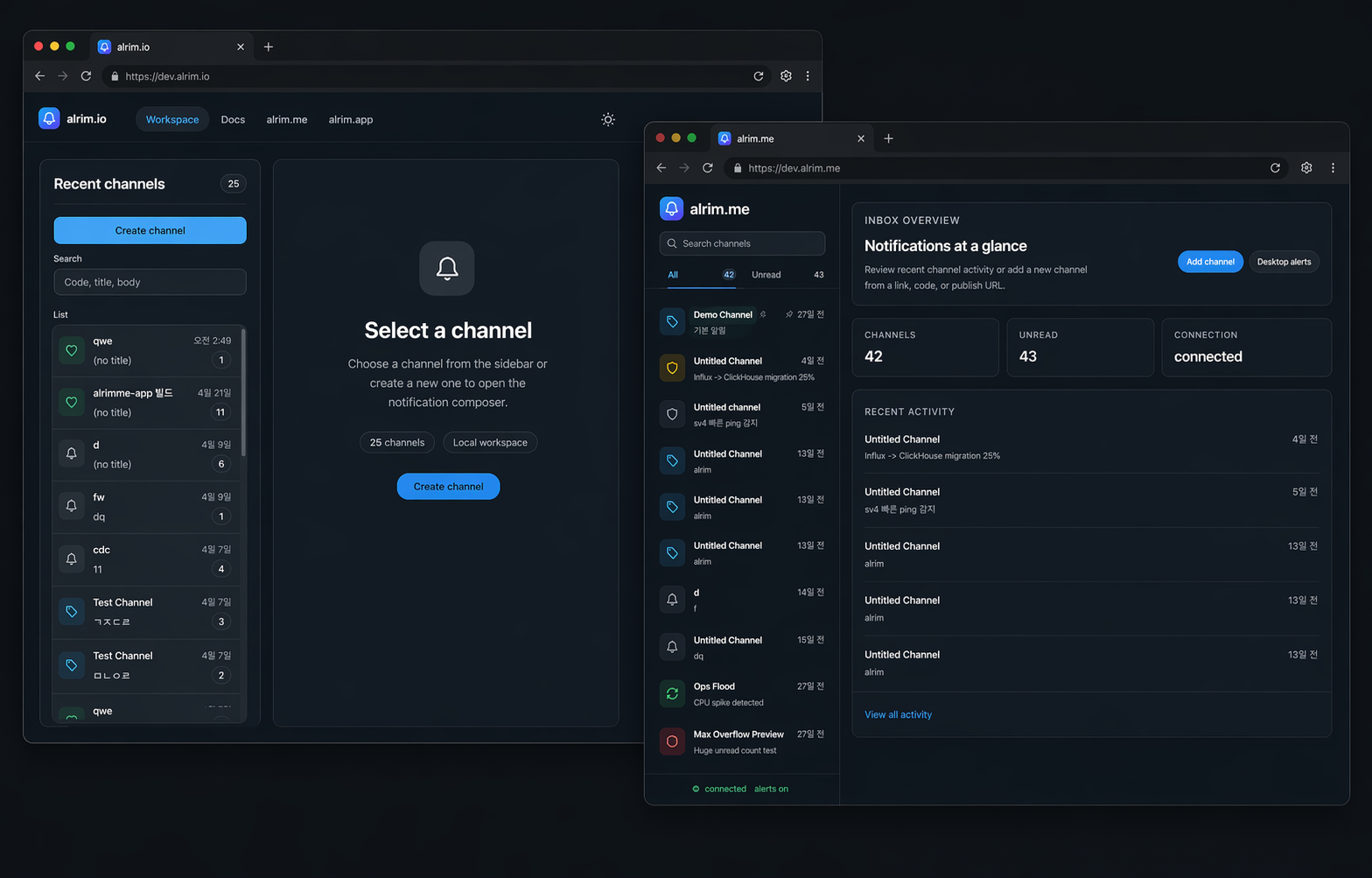
alrim.io workspace and alrim.me inbox overview
Dev workspace and inbox preview.

How it works

Keep sending and receiving separate.

API for developers. Channels for users. A channel is easier to share than an inbox.

Your systemBuilds the alert payload.
alrim.ioRoutes and delivers it.
alrim.meShows the channel and history.
  • Open in browser
  • Subscribe for push
  • Review history

Integration

No SDK required.

Any backend can POST to alrim.io. Keep the publisher key server-side.

  • Services, jobs, webhooks.
  • Global or specific streams.
  • No token handling in your app.
notify.shcURL
curl -X POST https://alrim.io/<publishKey> \
  -H 'Content-Type: application/json' \
  -d '{
    "title": "Payment failure rate is high",
    "body": "The last five minutes crossed the alert threshold."
  }'

Common uses

Useful where alerts should be read quickly.

Operations and incidents

Deploys, checks, failed jobs.

Customer or community

Urgent updates without another app.

Internal automations

Scripts and tools sharing one receiver.

Start here

Send through alrim.io. Receive through alrim.me.